.png)
Most contract management tools are good at showing you what contracts you have. What they can't do is tell you what contracts you're supposed to have.
That's not a small distinction. Enterprise portfolios have dozens of properties and hundreds of vendor relationships, and for each required vendor category, every property needs a current vendor with an active contract. Most corporate teams will tell you they simply can't confirm that's true, not because they're not trying, but because no system has ever been built to tell them.
They've sent the directive, updated the policy documents, followed up with spreadsheets and emails to property managers asking them to confirm what's on file. But whether every property actually has a current plumber under contract, right now, today? That's a gap most teams are managing with faith rather than data. By the time it surfaces, it's already a liability.
The industry has spent years building better tools for managing the contracts you have. Nobody built a tool for tracking the ones you're supposed to have but don't. Until now.
From gap to governance
Revyse has expanded its Contract Management solution to give property management companies something they've never had: a system that connects corporate contract expectations to property-level reality, automatically. Here's how it works.
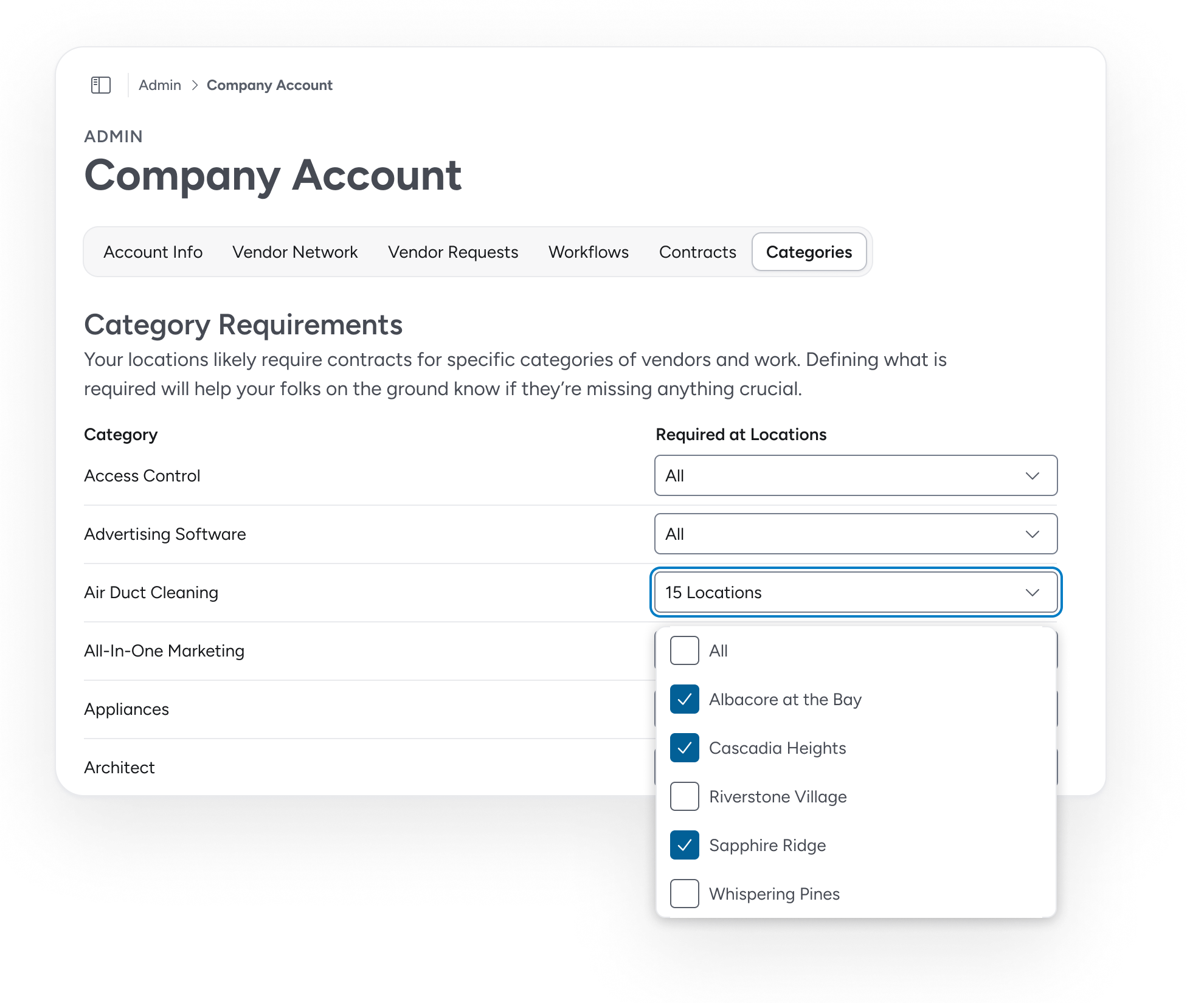
Corporate teams can now define a list of Required Contracts: the vendor categories every property must have covered, with a current vendor and an active agreement. The standard lives in Revyse, and Revyse holds every property to it.
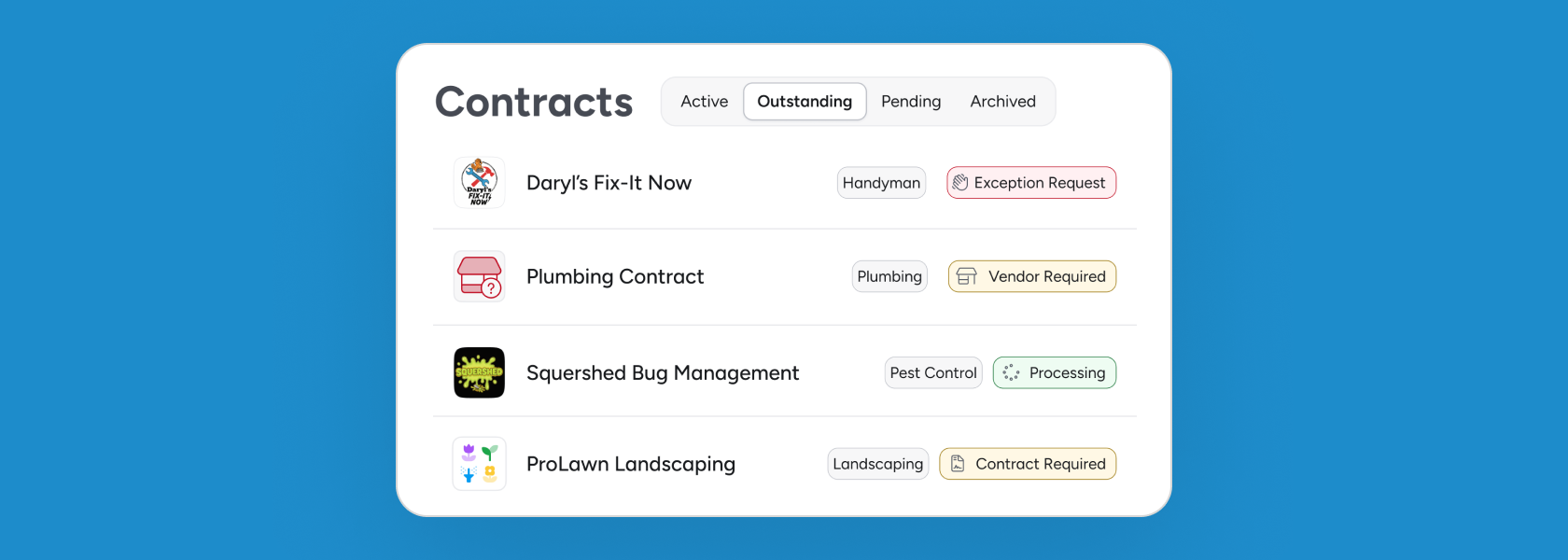
Revyse then compares those requirements to active vendor contracts at each property and surfaces every gap as a Missing Contract for the relevant site team. These gaps fall into one of two categories:
Vendor Required: No vendor has been assigned to a required category.
Contract Required: A vendor is assigned, but no active agreement exists in Revyse.
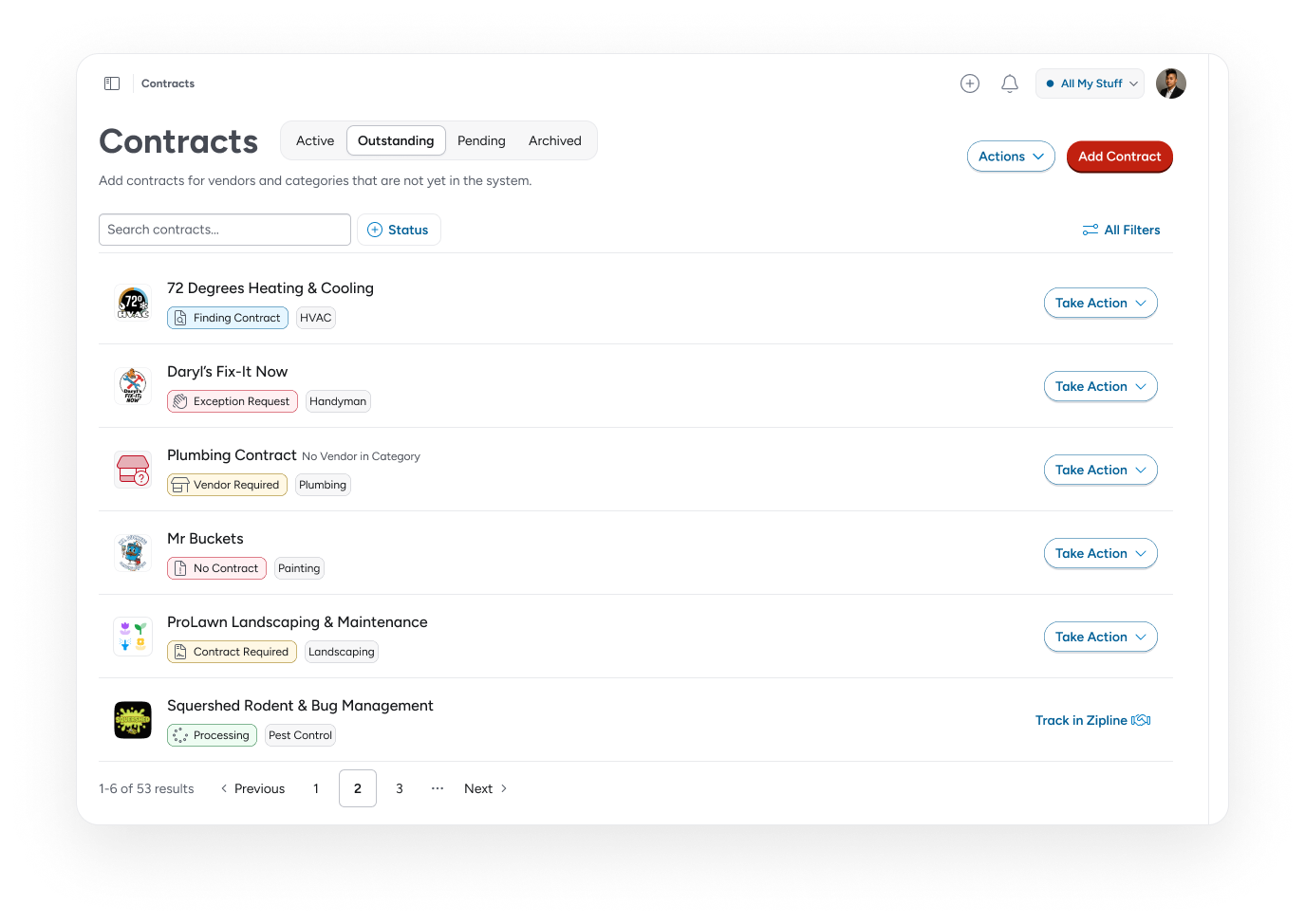
Site teams can act on each gap immediately, uploading an agreement, flagging that a contract is in progress, or submitting an exception request if the requirement doesn't apply to their property. Exception requests route to a Regional Manager or designated reviewer for approval within Revyse. Every action updates the status in real time. No email thread. No phone tag. No waiting.
Regional managers get a portfolio-wide view, filterable by location to see where gaps are concentrated or by contract type to spot patterns across the portfolio.
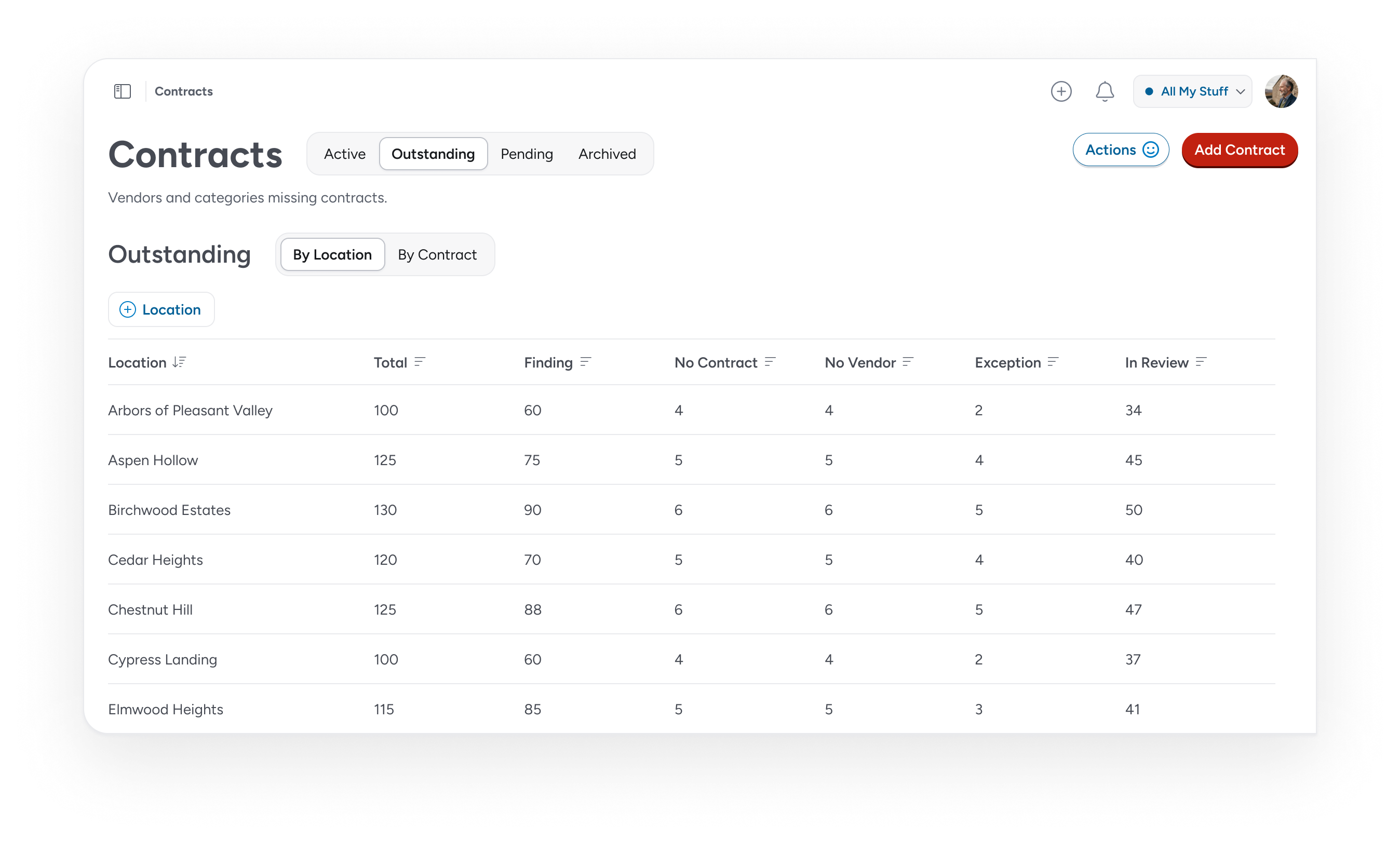
Corporate gets the live picture: not just what contracts exist, but whether the program is meeting the standard corporate set.
For the first time, you don’t need an audit to maintain governance.
One system for standards and accountability
Required Contracts and Missing Contracts are part of Revyse's Contract Management product because that's where the underlying data already lives.
Your vendor list, executed contracts, and corporate standards are already in Revyse. It's all connected. There's no new tool to implement, no separate login, no import-export cycle to maintain. The contract data you already have in Revyse starts doing more.
These features are now available for Contract Management customers. Getting it configured for your portfolio takes a quick conversation with our team, so reach out to get started. If Contract Management isn't part of your Revyse setup yet, we can help get you started.
The standard your portfolio has been missing is now the standard it's held to.